Help Center

Record shares and permissions

Use Record Shares to control what someone else can see. The wizard lets you choose data, choose journal access, and set expiry or use limits.

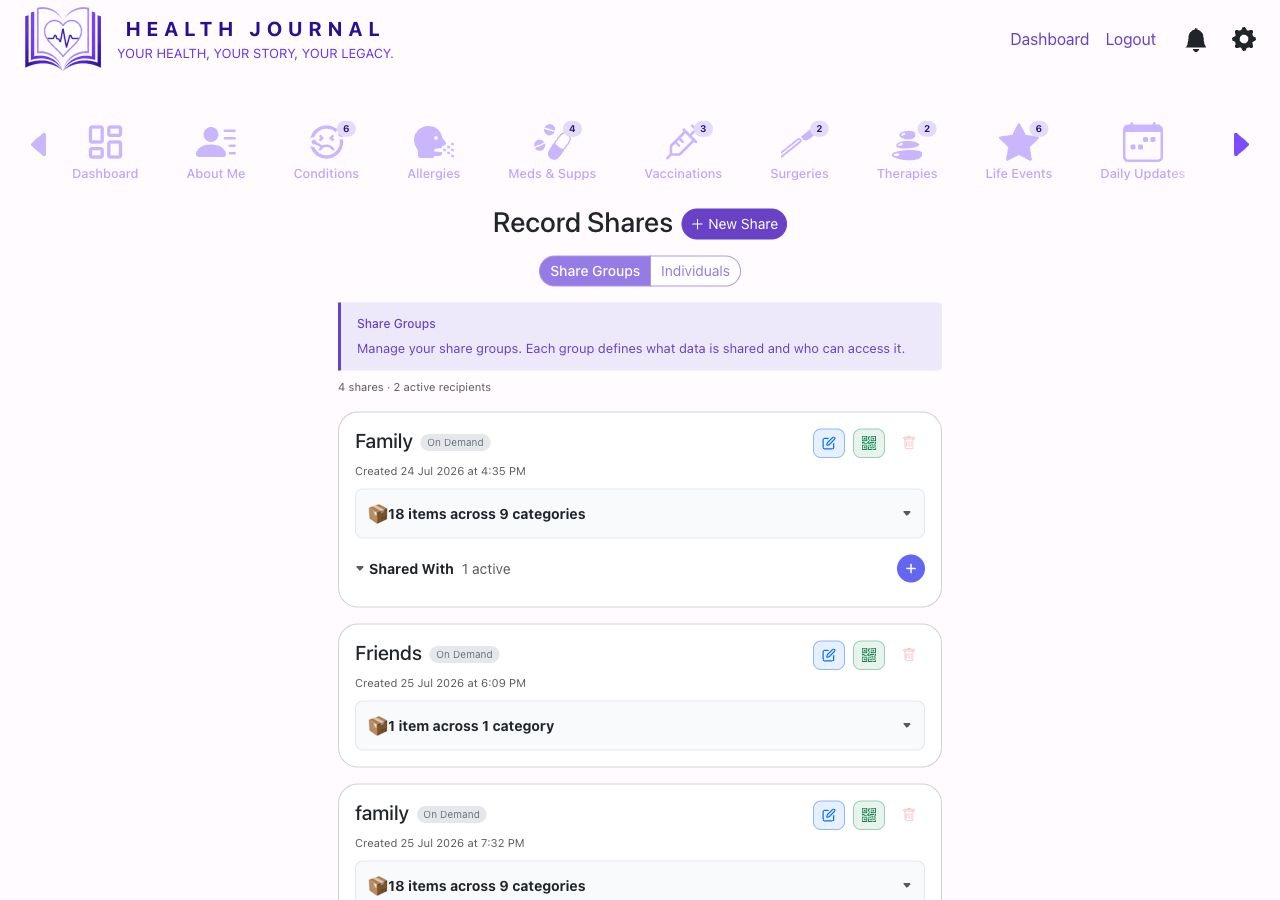
Real Record Shares screen
Real app screen: Record Shares with existing share groups and the New Share button.

Open Record Shares

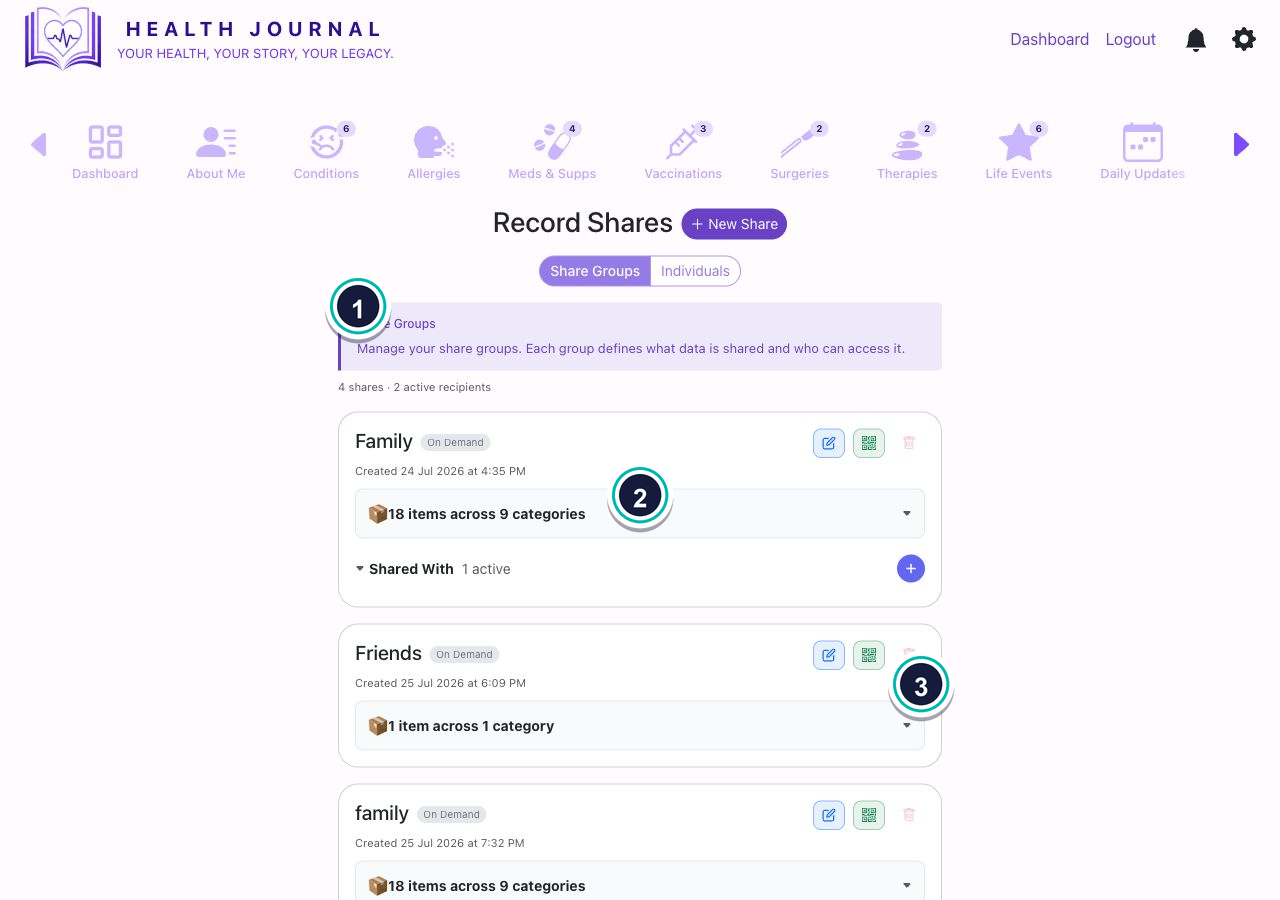
Record shares list
  • 1Use New Share. This opens the three-step Add Record Share wizard.
  • 2Review existing shares. Each share shows its name, type, creation date, included categories, and active recipients where available.
  • 3Use existing share controls carefully. Existing shares can reveal access already granted.
Step 1: choose data

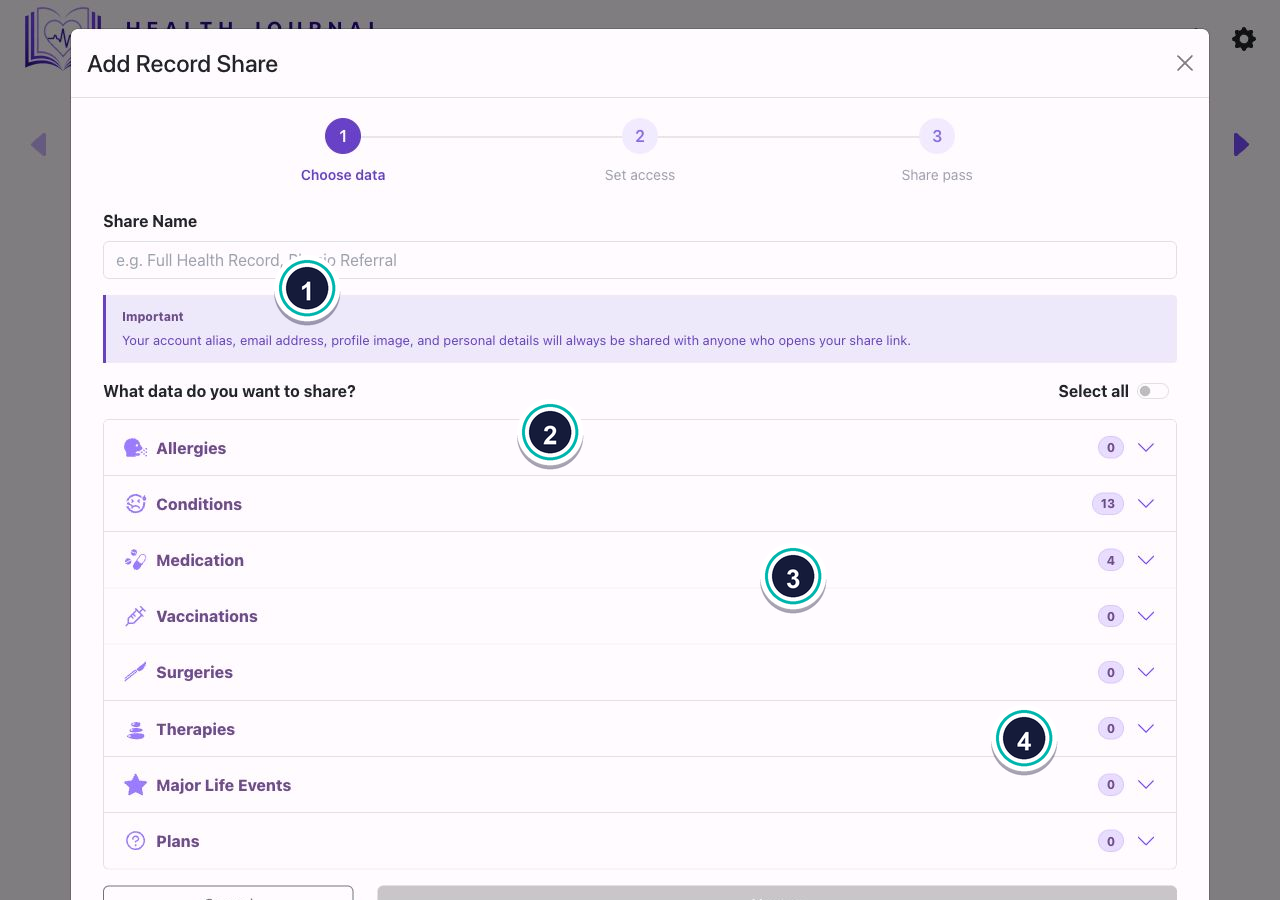
Share wizard choose data step
  • 1Name the share. Use a name that explains why it exists.
  • 2Read the important note. Alias, email address, profile image, and personal details are always shared with anyone who opens the share link.
  • 3Choose sections or items. Count badges show what exists and what is selected.
  • 4Use Select all only when appropriate. Review the selection before moving on.
What this screen asks for
Share namePrivate name for the share, such as “Physio referral”.Required
SectionsAllergies, Conditions, Medication, Vaccinations, Surgeries, Therapies, Major Life Events, and Plans.Choose what applies
Select allTurns on all shareable items shown in the wizard.Optional

Step 2: set access

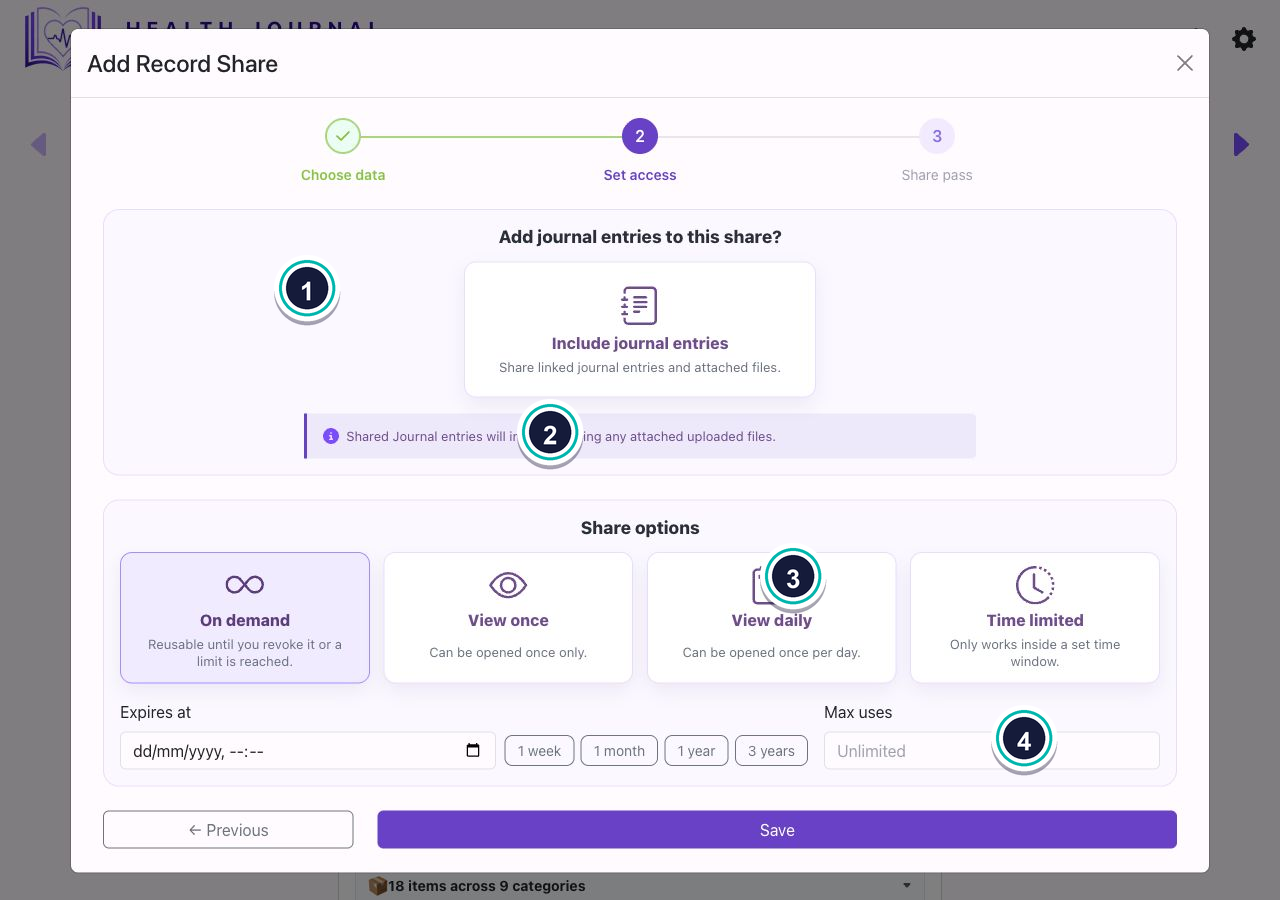
Share wizard set access step
  • 1Choose whether to include journal entries. This controls linked journal entries and attached files.
  • 2Choose a share type. The real screen shows On demand, View once, View daily, and Time limited.
  • 3Set expiry or limits. Use expiry, quick date buttons, max uses, or time limits where shown.
  • 4Do not press Save unless you mean to create the share. Save creates the share.

Check before sharing

  1. Are you comfortable with this person seeing every selected item?
  2. Have you checked journal entries and attached uploaded files?
  3. Does the expiry match the reason for sharing?
  4. Do you know which existing shares are still active?